> For the complete documentation index, see [llms.txt](https://docs.leap-blockchain.com/llms.txt). Markdown versions of documentation pages are available by appending `.md` to page URLs; this page is available as [Markdown](https://docs.leap-blockchain.com/leap-trading-sol-bot/leap-trading-bot-setup/timers.md).
# Timers
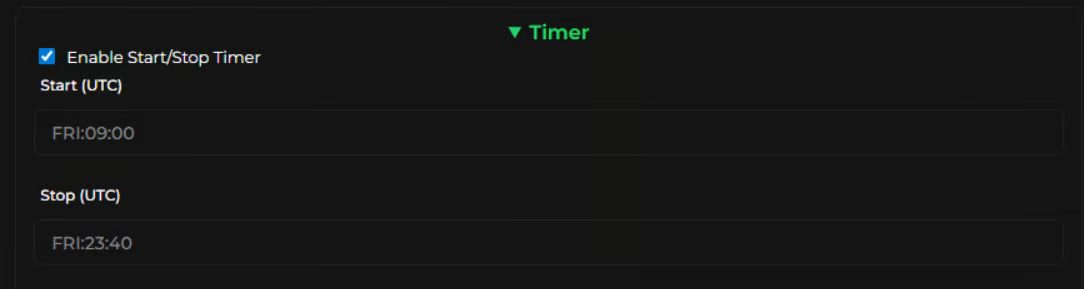
Start/Stop Timer
Tick to enable this filter and then add in the desired start and end time of the bot.
**Format**\
Day:Hour:Minute (e.g. `MON:16:30`)
**How it works**\
Once set up you can click **Start Task** and it will wait for the time to hit before running, then it will stop at the set time as well.
Use this to capitalise on volume in the market.
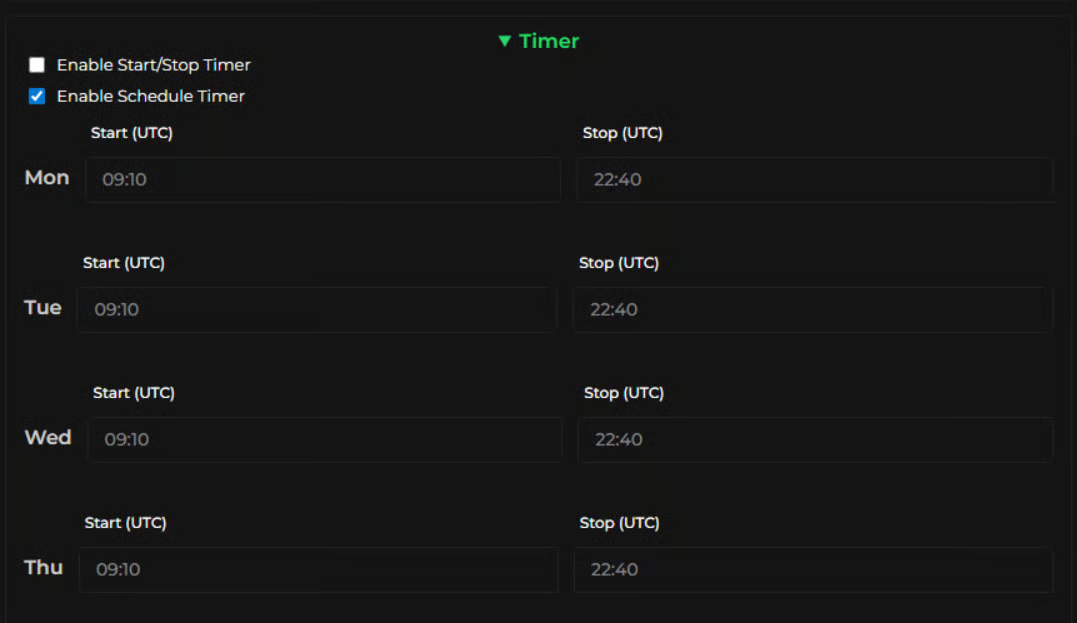
### Enable Schedule Timer
This works similar to the above but enables you to set the start and stop time for the entire week in advance.
**Format**\
Hour:Minute for each day.
### Enable Remote Stop
Tick to enable this. It allows you to stop the bot from your webhook.\
If you have the Leap Telegram bot installed you can also manage your tasks from there by logging in with the same key.